A trusted editor
C syntax coloring, select, internal clipboard, undo/redo and find/replace. Your edits are preserved on a file-by-file basis as you switch between source files.
… downloads
VERSION 0.1 / ST TT FALCON
Your own GEM workstation for your C projects. Visually design forms, edit your code, build with Pure C and launch your program from Studio.
Free software · GPLv3 · Pure C compiler required separately.
01 / YOUR PROJECT IN ONE PLACE
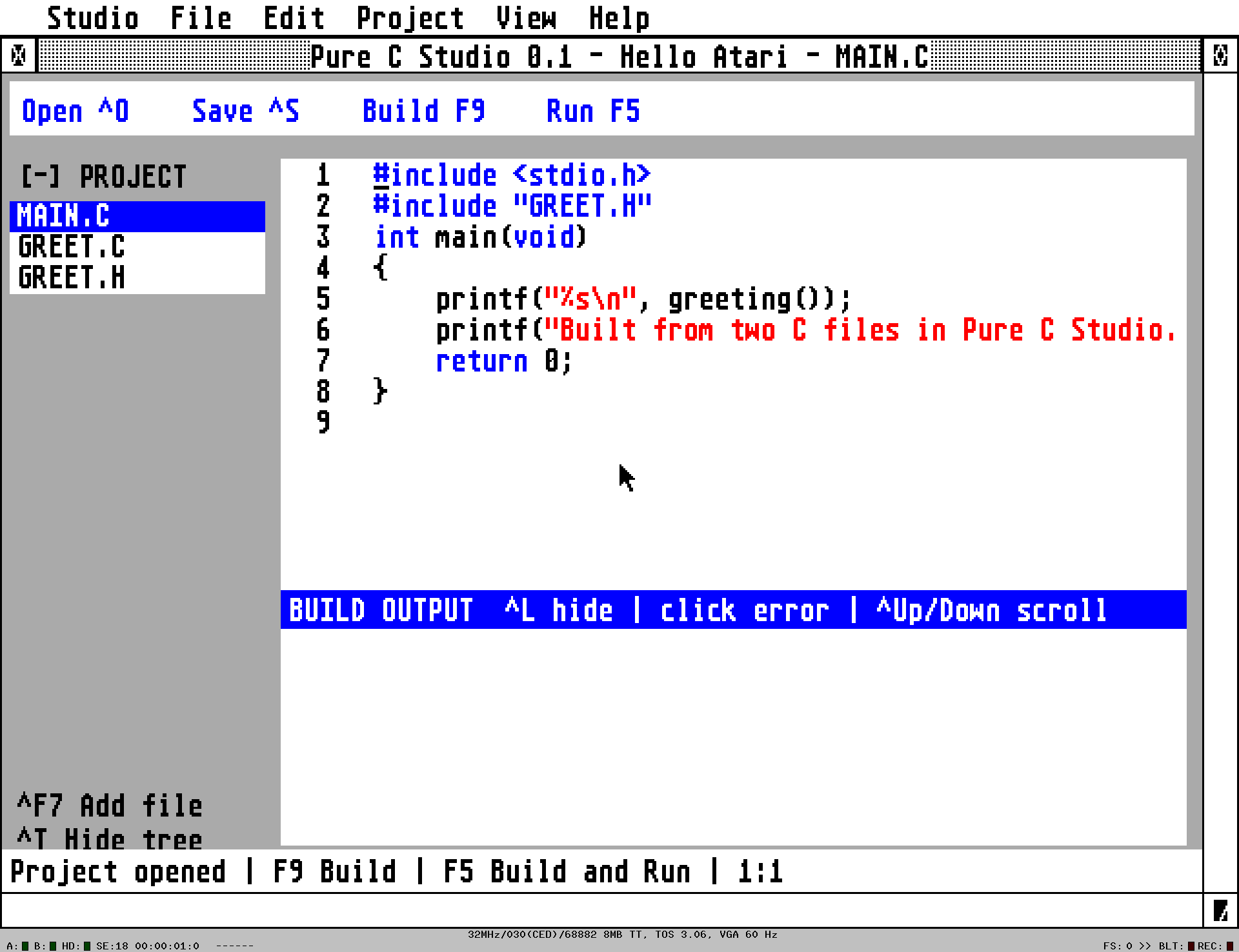
C syntax coloring, select, internal clipboard, undo/redo and find/replace. Your edits are preserved on a file-by-file basis as you switch between source files.
Studio calls PCC and PLINK, saves the entire build log and takes you to compiler errors. A project contains a maximum of eight files.
Build and start your TOS or GEM program. After closing you return to Studio. Shift+F5 starts the last successful build.
NEW / FORMS PREVIEW · NOVEMBER 16, 2026
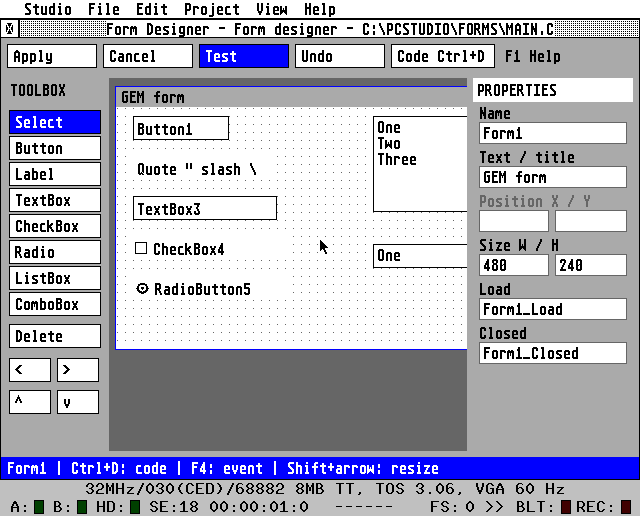
Visual design is now present in BASIC, Python and C. Place controls, drag them, resize them and edit properties and event handlers.
Open File > New Form project or use Ctrl+Shift+D. With Ctrl+D or F8 you open an existing design. F4 opens event code, F2 saves and F5 executes.
The designer supports Button, Label, TextBox, CheckBox, RadioButton, ListBox and ComboBox. The result is plain C code for GEM with the supplied FORMRT.H; custom event functions are retained when redesigned.
Open the provided project FORMS/FORMS.PCP. The Pure C compiler and its standard GEM/TOS libraries remain required separately.
Operation, examples and limits →
Maximum sixteen controls per form. Renaming existing components is still limited in this Python/C preview. The new designer has been tested in Hatari on TT and ST with 4 MiB; the physical hardware test of this addition is still open.
02 / A REAL BEGINNING
The included HELLO project combines two C files and a header. GEMDEMO builds a GEM program with a message. Use the examples as a starting point for your own project.
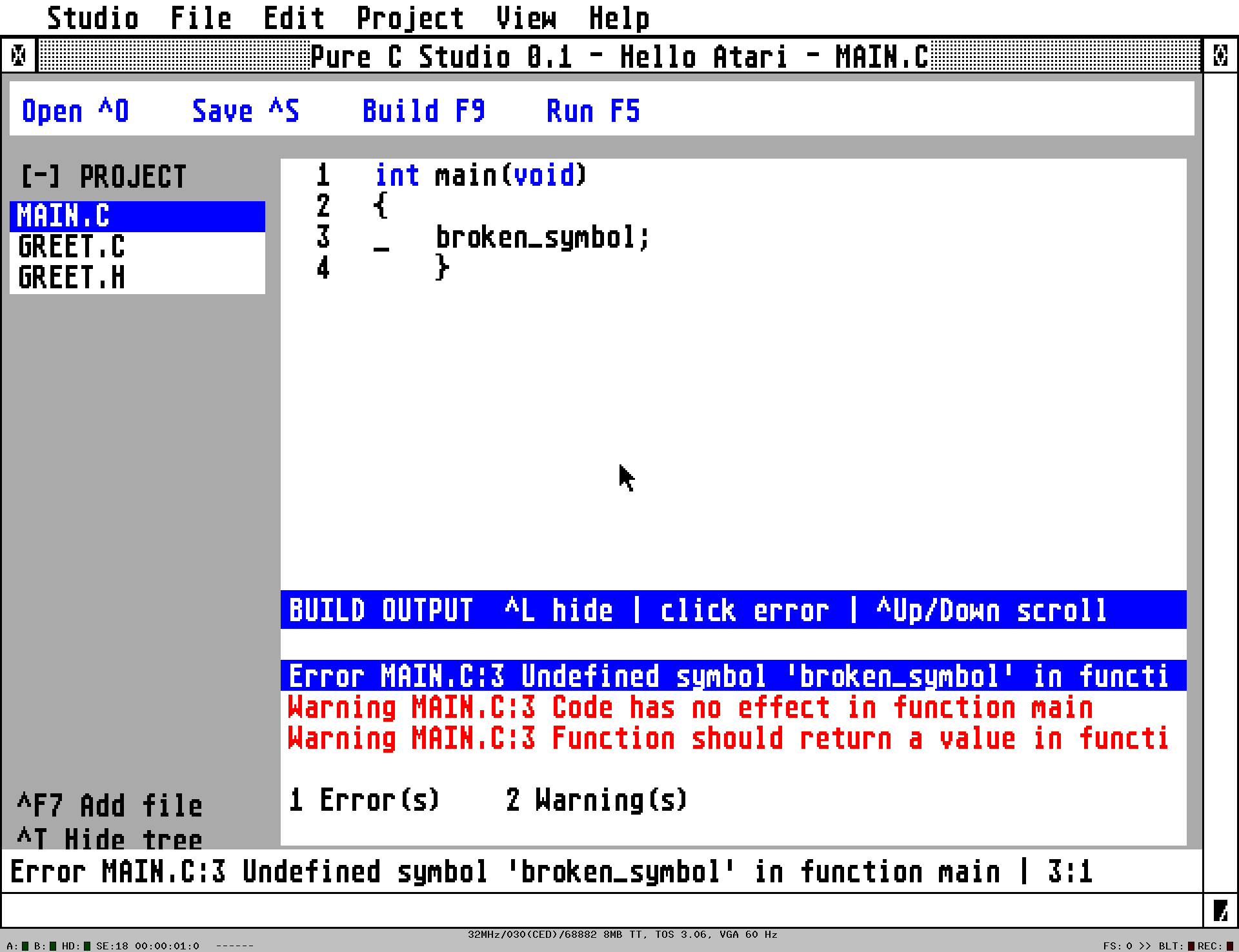
A compiler error? Click the message to go to the source line.
03 / FORMS PREVIEW · NOVEMBER 16, 2026
Studio with form designer, FORMRT.H, manuals, HELLO, GEMDEMO and FORMS. Unzip and copy the PCSTUDIO folder to C:.
Download program ↗Complete C sources, build files and CRLF sources for the original Pure C IDE.
Download Resources →720 KiB DD FAT12 image for a Gotek or emulator. The ZIP package also contains the file manifest and installation instructions.
PCFORM01.ST → · Floppy package →Install Pure C separately below C:\PUREC. Go C:\PCSTUDIO\PCSTUDIO.PRG, press F9 for a build or F5 for build and run.
SHA-256: program · sources · floppy disk package
BEFORE YOU START
Minimum 4 MiB RAM and a 640×400 screen. The earlier version was tested in Hatari on ST, TT and Falcon and on physical hardware. The new forms preview has been tested in Hatari on ST with 4 MiB and TT with 8 MiB; the physical test of this addition is still open.
The original Pure C compiler, headers and libraries. These are not included; Studio is a standalone editor and build environment that calls PCC and PLINK.
Up to eight project files, 512 lines per file and 159 columns. Projects use the native .PCP format. A visual form designer is available. .PRJ import, a debugger, RSC editor, autocomplete and incremental building are not yet available.
04 / THREE LANGUAGES · SAME ATARI
Object-oriented BASIC, visual GEM forms, and a debugger for your Atari apps.
To TT BASIC →Python on TOS, with editor, interactive console and GEM examples.
To TTMicroPython →C code, native Pure C builds and TOS or GEM programs from one workstation.
Download Pure C Studio →Tell us what you make, ask a question or share your experience with the development environments.
The count starts with this update; previous downloads are unknown. ZIP packages and ST images count, not unique individuals.
Loading comments…